For players
You can play it back. Now play what’s yours.
KeyFu is a piano practice app for iPhone and iPad, for self-taught players who can play songs back from videos.
Sit down without a video running and not much comes. That gap is a practice problem, not a talent problem, and KeyFu is built for it.
You will need an iPad or iPhone and a digital piano that connects by USB or Bluetooth MIDI. Most current digital pianos do.
Play freely
Play over a note or chord the app holds
no plan · no clock · no score
Open Play freely and the app holds the harmony under you. Nothing you play is wrong.

Gold outlines are keys on offer, good places to land. The rest sound just the same, and nothing is marked against you.
Each run has one goal, picked from how your earlier runs went, like staying in the key or trying notes you haven’t used yet. Nothing on screen counts it.
The roll
Blocks while a part is new, then your hands alone
it waits for you · one tap hides it
It works like the videos you learned from: blocks toward a line, the key lit below. The difference: you won’t always need it.

Once a part feels familiar, one tap hides the roll. You play from the chord loop instead, the chord that’s due shown large, number and name.
When the roll has stopped earning its keep, the coach may offer to leave it off. You’re always asked first.
In an exercise, a wrong key flashes red. When a chord isn’t fully down at the line, the roll waits, and nothing is scored while it waits.
Your chords
What you already know is the starting point
If you can find C, G, Am and F on the keys, you have what KeyFu needs. The numbers show why those four go together.
Nothing has to be unlearned, and nothing has to be read first. 1 is home, 5 pulls back toward it, and 4 and 6m sit in between.
The small m is the same m as in Am, the darker-sounding one. Each chord on the roll carries its number and its name.
Practice in the coach’s pick, or choose your own home note, any of the twelve; today’s plan is built in it.
Your coach
A coach who takes “I just want to play” seriously
one coach · KeyFu
“Something of my own, both hands, without a video” is a complete goal here. Your coach plans what you practice next, so that stops being your job.
Your coach KeyFu
I don’t use sheet music. We’ll start from where you are.
Whenever I change something, I’ll tell you why.
New shapes and the changes between them come first, untimed. Each session picks up from what your hands played last time, even days later.
A slower tempo, an exercise finished early, a shorter session: each change comes with its reason.
Timing
Without a video, timing drifts. KeyFu shows where.
early · late · in time
A video keeps the tempo for you. On your own, most players drift a little.
KeyFu reads which keys you pressed and when. If several notes in a row land a hair ahead, a card names the habit and suggests letting the beat arrive first.
A small dot shows where you landed, early or late: a record, not a mistake. The tempo gives you room when chords miss and picks up when they land.
The click can keep the beat with you while you play.
Your setup
The piano in the living room counts
A digital piano with a USB port is all this needs.

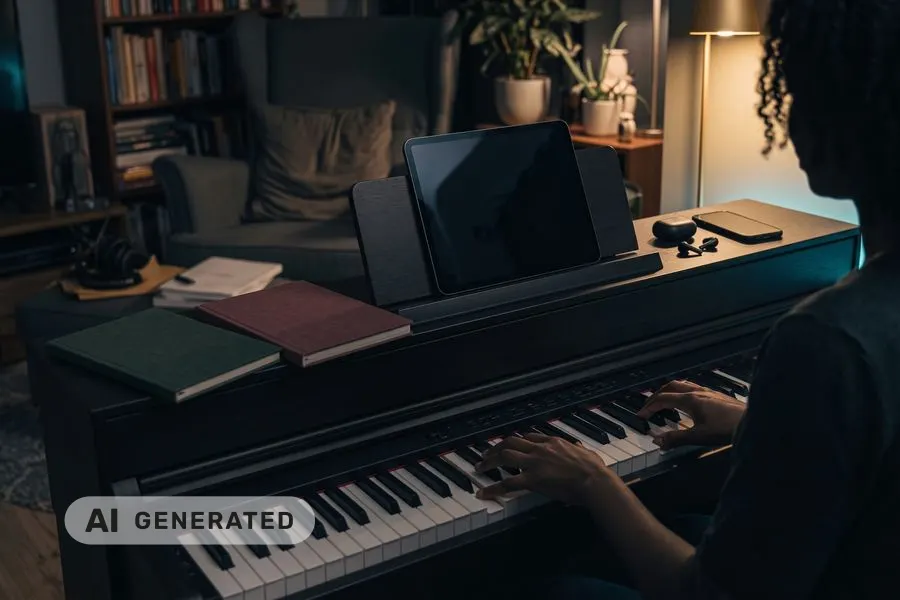
Connect it to an iPad or iPhone and put the iPad on the music stand. KeyFu reads what you play over MIDI, not through a microphone.
USB works the moment you plug in. For Bluetooth MIDI, tap Connect a Bluetooth keyboard in KeyFu, then pick your keyboard.
Tell KeyFu your keyboard’s size, and the exercises it picks stay inside it.
Where to next
Everything in the app
- Today’s practiceA session planned for your goal and your time
- Talk to your coachDescribe a goal — get a plan built for you
- Your skillsSee what you’ve built and what’s fading
- Exercise libraryBrowse exercises & routines — pick one and play
- Train your earHear it, play it back
- Play freelyNo plan, no clock, nothing to get wrong
Join the beta
Invitations go out in small waves. If you taught yourself so far, you are exactly who KeyFu is for.
We send one confirmation email, then invitations in small waves. The beta is for adults (18+).
This list is run by KeyFu (Martin Neuschulz), Kurt-Eisner-Straße 58, 04275 Leipzig, Germany, hi@keyfu.app (privacy).
You need an iPhone or iPad and a keyboard that connects by USB or Bluetooth MIDI — most current digital pianos do.